Jailbreaking a 5th Generation Kindle
While in Berlin, I spotted my dad’s old Kindle that we got him for his birthday back in 2014. Fueled by my longing for digital independence and encouraged by my parents’ permission to do with it whatever I wanted, I composed myself to jailbreak that little black brick. This is the only way to get use out of the devices that Amazon chose to abandon as of 2026-05-20.
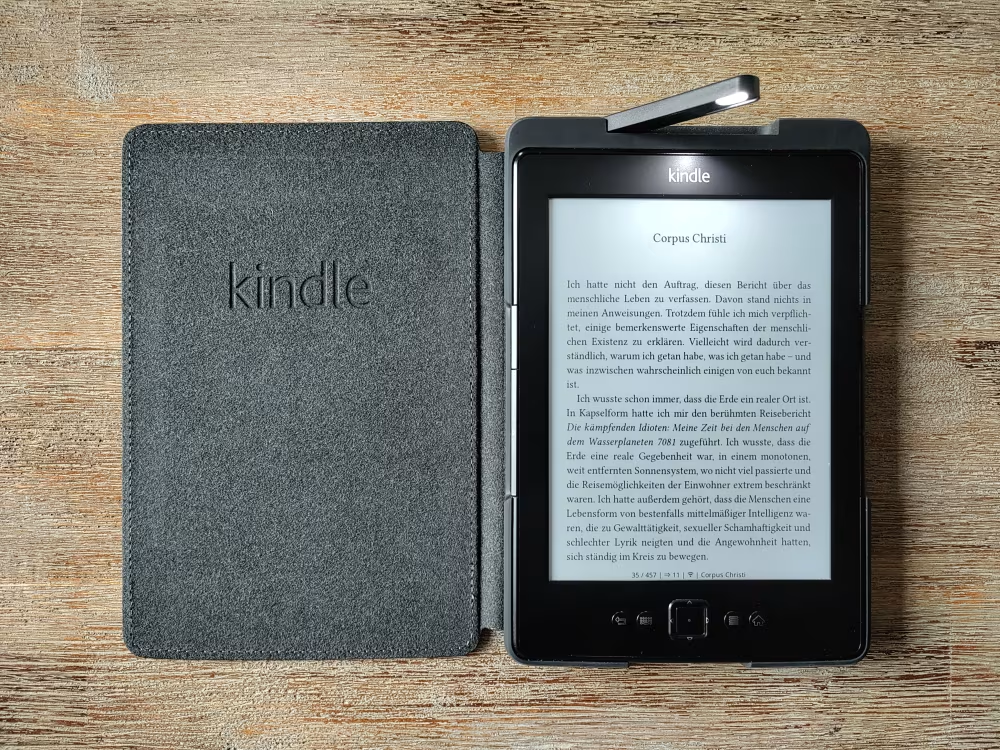
When I say jailbreaking I mean executing all the steps necessary to execute external code on my device. And with external code I mean KOReader, a very powerful and customizable document viewer. That is my goal, but of course there’s heaps of other stuff you can do with a jailbroken Kindle. See the links below for some inspiration.
Your one-stop shop for all things Kindle hacking is the Kindle Modding Wiki. Make sure to read the Getting Started page which explains the most important vocabulary and debunks common misconceptions. The next step is making sure that you know exactly what kind of device you are dealing with. Find serial number and firmware version of your device and walk through the Jailbreaking Wizard to identify which jailbreaking method is right for you. If you prefer a more oldschool way of doing things that doesn’t hide any part of the process, you can also start by identifying your device with the MobileRead’s Kindle Serial Numbers wiki page and work through the wiki pages and forum threads there.
I took a hybrid approach, used a lot of different resources, and peaked around some corners that led me to things a little above my head. I ended up with the following steps:
- Identified my device as a 5th generation Kindle from 2012, nicknamed K4, K4B, black Kindle 4, or Kindle 5 No Touch. The recommended jailbreak method is the one by NiJuLe. My Kindle was not registered with Amazon.
- Updated to the latest official firmware version 4.1.4. I started out on 4.1.2, updated to 4.1.3, and then to 4.1.4 in two separate steps.
- Did a factory reset. Current firmware version is preserved. Put the Kindle in flight mode to prevent any phoning home to Amazon servers.
- Downloaded the jailbreak files and followed the accompanying README. A new book titled You are Jailbroken in the library signals a successful jailbreak.
- Installed two tools that are necessary to install homebrew software on the Kindle: the MobileRead Kindlet Kit (MKK) and the Kindle Unified Application Launcher (KUAL). The README files cover the installation process.
- Downloaded and installed the 2025 DevCerts for KUAL.
- Downloaded the latest koreader-kindle and copied the folders
extensionsandkoreaderonto the Kindle. - Started KOReader via KUAL and tweaked settings to my liking. Long-press is simulated by pressing the button for the onscreen keyboard and the main button.
- Stumbled upon the issue that MKK stopped working/got blocked as soon as I reconnected the WiFi. Registering the device ought to help, but I tried everything (different two-factor authentification settings, restarting) and didn’t get my device to register. Luckily, installing block-amazon and a restart helped!
- Transferred ebooks by connecting KOReader to my Calibre server. Happy days!
While trying to get my device registered with Amazon, I also installed USBNetwork and enabled root access via SSH-over-USB. I was hoping that setting my Kindle’s out-of-sync date and time zone would help with the registration process, but to no effect. However, I went down the SSH-over-USB rabbit hole which is a fascinating topic I did not know much about before.
More on the Matter
- Owning My Kindle. In-depth report on jailbreaking a Paperwhite 2.
- WinterBreak: Unlocking Kindle’s Full Potential. WinterBreak is a jailbreak for more recent models.
- Jailbreaking the Kindle 4. Video by Your Cool Uncle Marisa that got me in the right mood for tinkering.
- On My Kindle I Am Root. Helped me to wrap my head around the USBNetwork hack.
- Jailbreaking Kindle With Adbreak 2025. Great section on KOReader and its many customization options.
- Your Kindle’s Not Obsolete, It Just Needs a Jailbreak—and I’ll Show You How It’s Done. Very thorough article on the whole jailbreaking process, with a short intro on Amazon’s dark patterns in the Kindle ecosystem.