Creative Coding in 3 Steps: Circles
With circles we enter the world of pi, astronomy, and trigonometry. Naturally, creative coders and generative artists are drawn to this shape as well.
For me, creative coding means making art with computer code, algorithms, machines… any device that takes a bit of the process out of my hands.
The zine stands in the tradition of type-in programs inside computer magazines and books of the late 1970s to early 1990s: computer code meant to be entered via the keyboard by the reader. What sounds like a huge pain was sometimes the only way to transfer source code and knowledge. On the plus side, readers didn’t need a lot of prior knowledge and had the opportunity to learn as they typed.
Obviously, in times of the internet and smartphones this is not necessary anymore, but I would argue that typing in short code listings, misspelling commands, and fixing them is still a great way to get one’s feet wet when facing a new topic. We’ll start with some eye candy by overlapping several circles filled with semi-transparent colors. Type in the code below at editor.p5js.org. Good luck, have fun!
You don’t need an account, unless you want to save your work. The account is free and data collection is minimal.
function setup() {
  createCanvas(400, 400);
  noStroke();
  noLoop();
}

function draw() {
  background(20);
  for (let i=1; i <= 6; i++) {
    const d = i * 50;
    const cx = width/2;
    const cy1 = 350 - d/2;
    const cy2 = 50 + d/2;
    fill(255, 45, 209, 50);
    circle(cx, cy1, d);
    fill(77, 255, 190, 50);
    circle(cx, cy2, d);
  }
}
Result
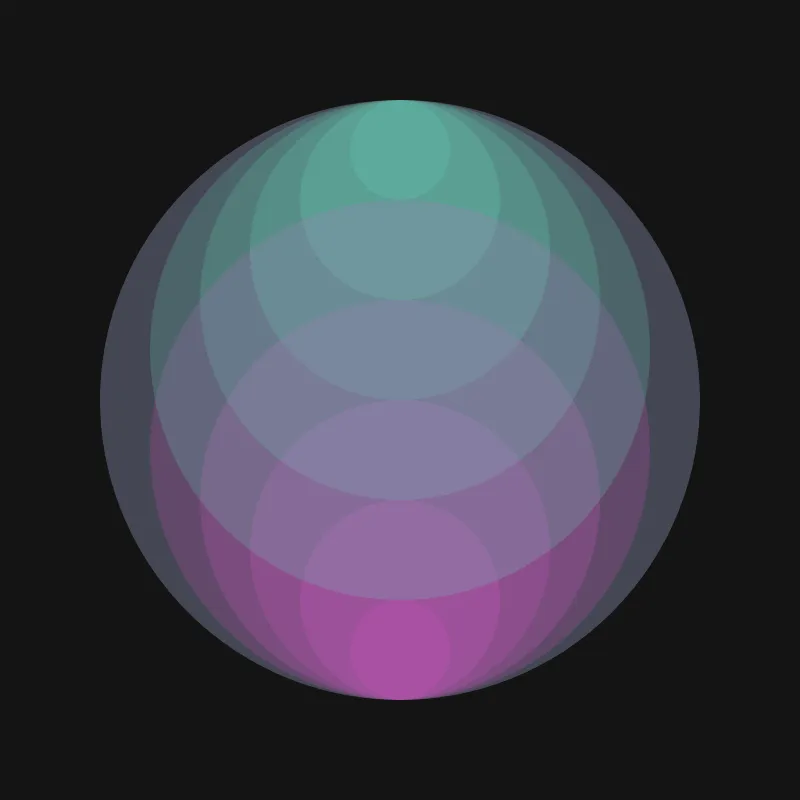
We drew that many circles by putting the two circle commands inside a for loop. Loops enable programmers to run a block of code repeatedly. That leads to repetition and repetition almost always leads to visually interesting results.
Repetition is also used in the next step—but now we will draw hundreds of circles! Each circle will also have a randomly picked color and some transparency.
Save your old code somewhere, wipe it off, and try to type in the code below.
function setup() {
  createCanvas(400, 400);
  colorMode(HSL);
  noStroke();
  noLoop();
}

function draw() {
  background(20);
  const num = random(500) + 500;
  for (let i = 0; i < num; i++) {
    fill(
      random(360),
      80,
      80,
      random()
    );
    circle(
      floor(random(width)),
      floor(random(height)),
      floor(random(10))
    );
  }
}
Result
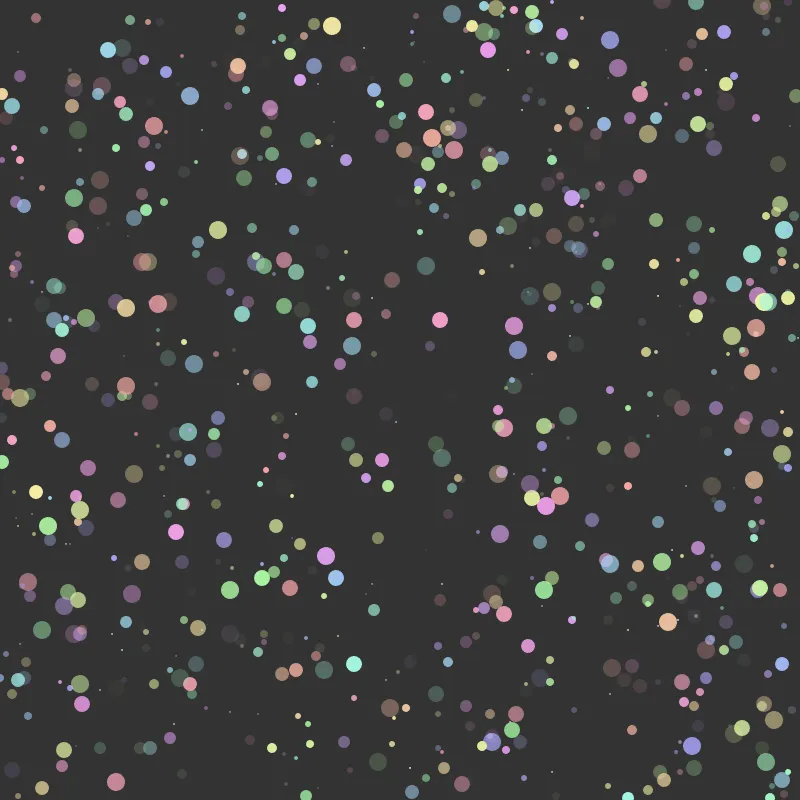
It’s either the most colorful starry sky or time for confetti.
Treat yourself to infinite random creations by repeatedly pressing the Play button inside the p5.js web editor.
We will now witness a technique called clipping or masking: We use other shapes to show or hide certain areas of the sketch. Nobody said that we have to draw full circles.
By laying out our circle segments along a grid (sometimes referred to as tiling) we create complex and intriguing structures.
This is a lot of code, but fear not! That just means there is a lot to play around with once you are done.
const t = 60;
const n = 8;
const g = 6;
const s = t*n + g*(n+1);

function setup() {
  createCanvas(s, s);
  noLoop();
  noStroke();
}

function draw() {
  background("#ad3622");
  for (let x=g; x<s; x += t+g) {
    for (let y=g; y<s; y += t+g) {
      push();
      translate(x, y);
      clip(mask);
      circles(
        random([0, t]),
        random([0, t])
      );
      pop();
    }
  }
}

function circles(dx, dy) {
  fill("#d0d1c9")
  circle(dx, dy, t*2);
  fill("#1c1c1c")
  circle(dx, dy, t*1.5);
  fill("#5085b4")
  circle(dx, dy, t);
  fill("#d6a946")
  circle(dx, dy, t/2);
}

function mask() {
  rect(0, 0, t, t);
}
Result
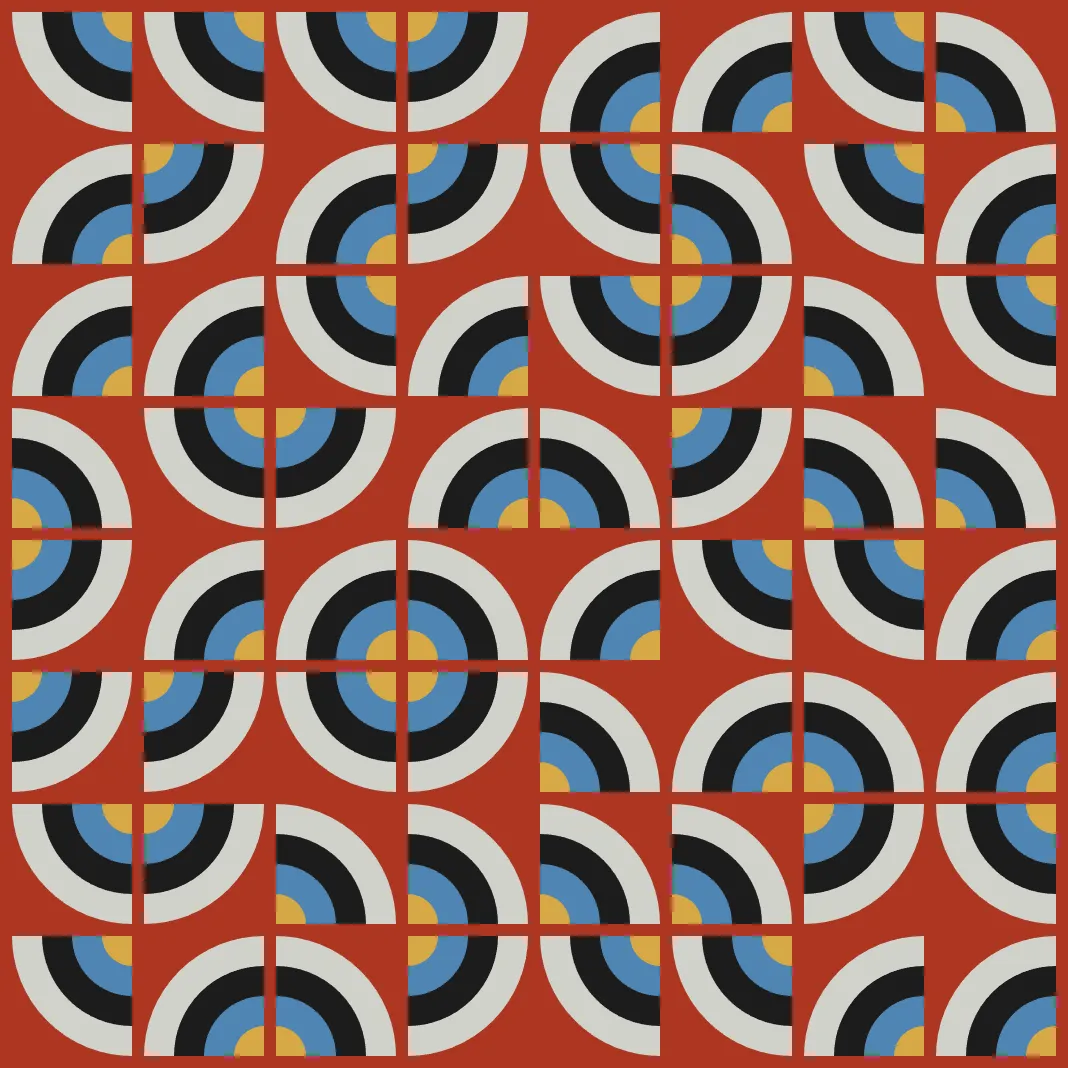
Do I smell Bauhaus?
I hope you enjoyed this little creative coding adventure. You don’t have to stop here, though! Play around with the code, change stuff, break it, try to make it yours.
We have been using a tool called p5.js, a creative coding library written in the programming language JavaScript. p5.js is free and open-source and backed by a wonderful community. If you are looking to continue your creative coding journey, p5.js is a great place to start!
The Poster Inside the Zine and Why Each Zine Is Unique
The inside of this zine is decorated with a true creative coding classic called circle packing; circles are arranged without overlapping and no circle can be enlarged without creating an overlap. The visual effect is striking and there is quite a bit of math involved which makes this whole exercise very rewarding.
- Generative Artistry includes a tutorial on circle packing that does not implement a particularly efficient algorithm, but explains the logic behind it well.
- Dan Shiffman also demonstrates a “circle packing”-like algorithm on The Coding Train on YouTube.
Every zine is plotted with a unique version of my circle packing implementation.
And with “plotted” I mean that every zine has been created with my AxiDraw SE/A3 pen plotter. Not only is every poster on the inside a unique vector graphic, but also every pen stroke and every letter is slightly different; a pen plotter is a very reliable machine, but two plots are still never 100% identical.
I like to think that the machine in my process adds a lot of character on its own to the final outcome.
The zine is unique. And so are you.