Creative Coding in 3 Steps: Lines
Think of a line as the shortest path between two points. In a sense, it is a more complex object than a single point, but also not quite as powerful as shapes, like rectangle or circle. A line doesn’t have an area you can fill with a color. A line counters complex geometric transformations with indulgent indifference. But its stroke can have a thickness, a color, and other properties that can turn heaps of lines into something that outgrows the sum of its parts.
I invite you to take a look at An der Kirchenmauer (At the Church Wall) by Käthe Kollwitz from 1893 and zoom in as far as you can. You will notice that what you first perceived as areal drawing and the alternation of light and shade is all created with lines and more lines—a technique called line etching!
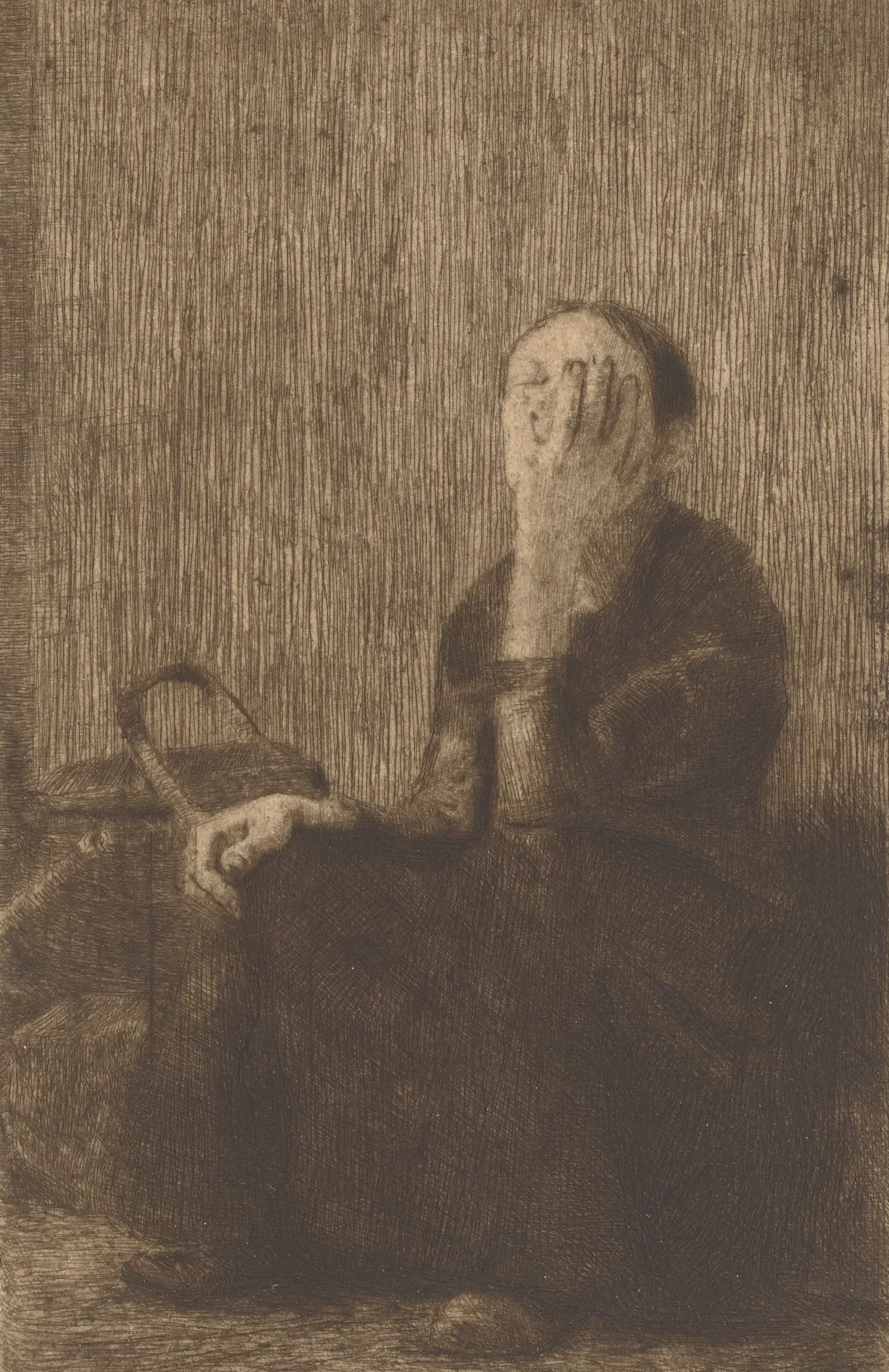
Don’t underestimate the line! It is suprisingly versatile for use in creative coding.
For me, creative coding means making art with computer code, algorithms, machines… any device that takes a bit of the process out of my hands.
The zine stands in the tradition of type-in programs inside computer magazines and books of the late 1970s to early 1990s: computer code meant to be entered via the keyboard by the reader. What sounds like a huge pain was sometimes the only way to transfer source code and knowledge. On the plus side, readers didn’t need a lot of prior knowledge and had the opportunity to learn as they typed.
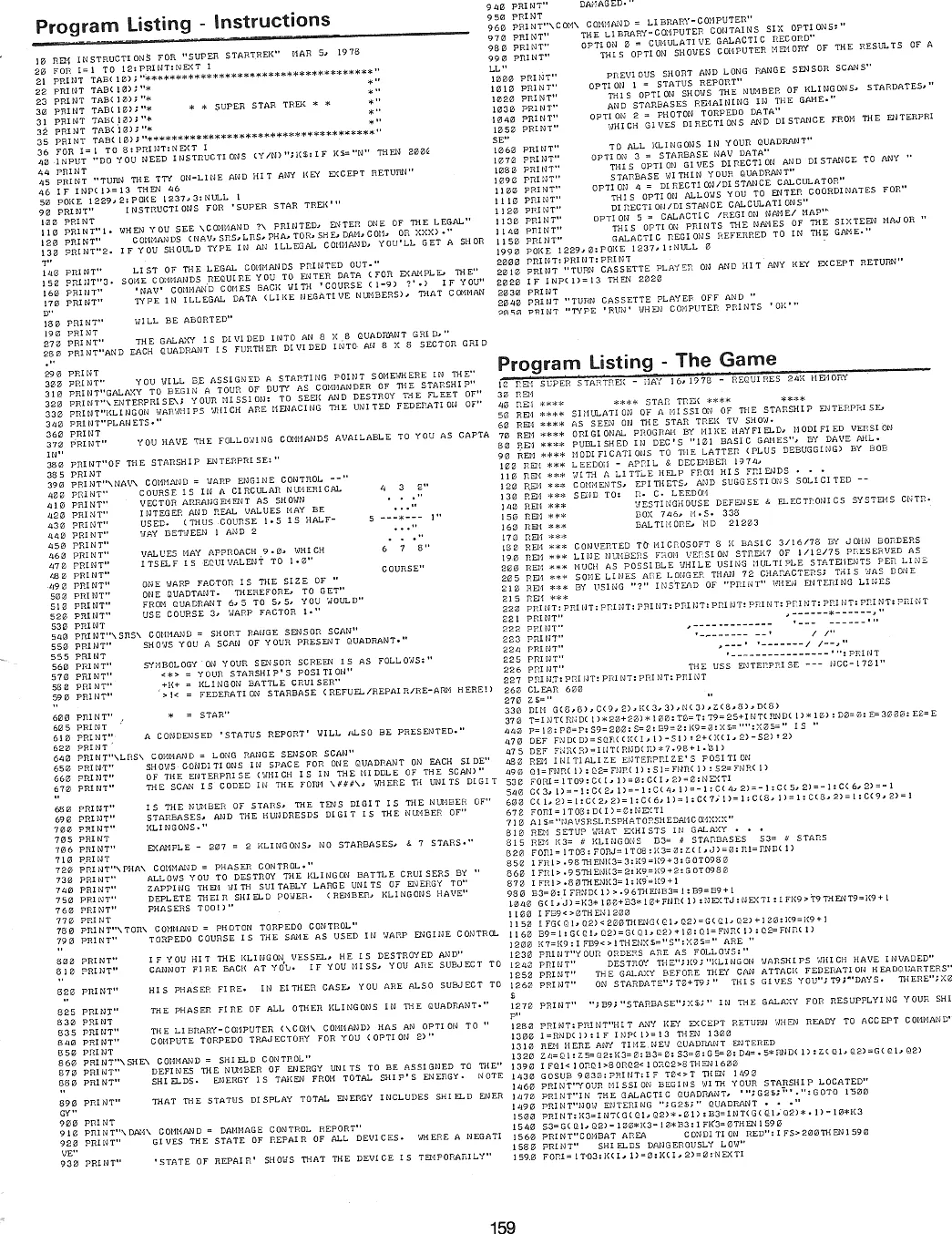
Obviously, in times of the internet and smartphones this is not necessary anymore, but I would argue that typing in short code listings, misspelling commands, and fixing them is still a great way to get one’s feet wet when facing a new topic. So let’s take heart, head over to editor.p5js.org, and type in the following code. Then hit the Play button.
You don’t need an account, unless you want to save your work. The account is free and data collection is minimal.
Can you imagine what the result will look like?
function setup() {
  createCanvas(400, 400);
}

function draw() {
  background(220);
  line(150, 275, 150, 175);
  line(150, 175, 200, 125);
  line(200, 125, 250, 175);
  line(250, 175, 250, 275);
  line(250, 275, 150, 175);
  line(150, 175, 250, 175);
  line(250, 175, 150, 275);
  line(150, 275, 250, 275);
}
Result
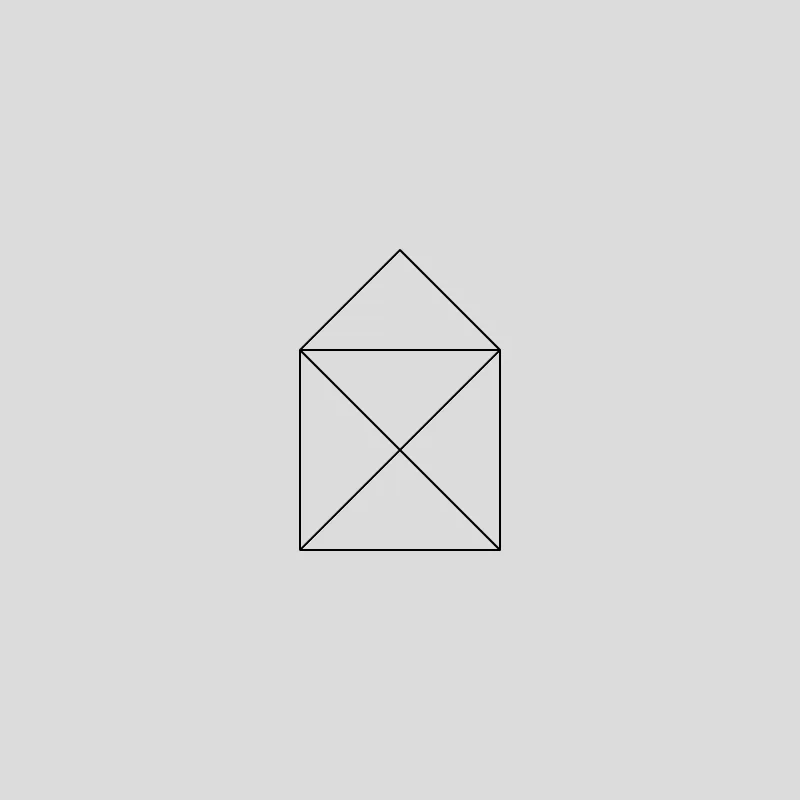
Congratulations on finishing your so-called "sketch"—a painting made with code!
In the next step we will add two new tools to our arsenal: repetition (creating a crapton of lines) and variation (creating lines of different length).
Repetition is often realized with some kind of loop, in this case a for loop. Variation on the other hand calls for the introduction of randomness or how I like to call it: controlled chaos!
Feel free to save the code from above somewhere and then start fresh with the following code.
function setup() {
  createCanvas(400, 400);
  noLoop();
  angleMode(DEGREES);
}

function draw() {
  background(220);
  for (let i = 0; i < 360; i+= 3) {
    const r = random(100, 200);
    const x = cos(i) * r;
    const y = sin(i) * r;
    const cx = width / 2;
    const cy = height / 2;
    line(cx, cy, cx + x, cy + y);
  }
}
Result
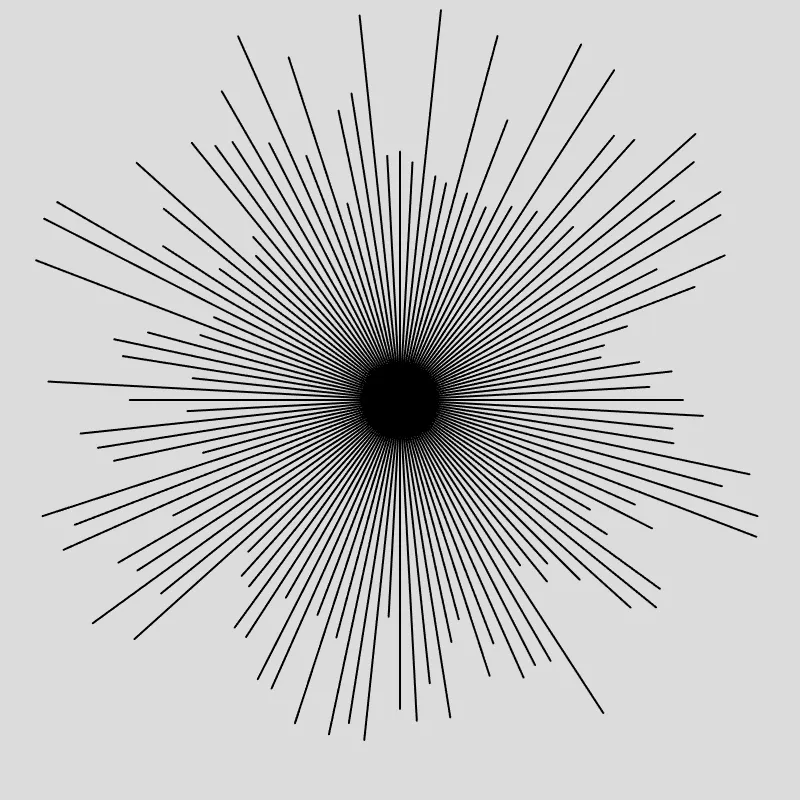
Your result will look different. Since randomness is involved, every click on the Play button of the p5.js web editor will produce a new and different result.
Well done! That was way more complex code than before, including some trigonometry for good measure.
The final step will introduce two more concepts that are vital for creative coding: color and motion! Color can be represented in different ways. We will use HSL where colors are a combination of Hue, Saturation, and Lightness.
We can create motion because the function draw() is called approximately 60 times per second. This happens automatically.
Enjoy this last type-in sketch.
let angle = 0;

function setup() {
  createCanvas(400, 400);
  angleMode(DEGREES);
  colorMode(HSL);
}

function draw() {
  background(0, 0, 60, 0.05);
  const r = random(100, 200);
  const x = cos(angle) * r;
  const y = sin(angle) * r;
  const cx = width / 2;
  const cy = height / 2;

  stroke(angle, 100, 50);

  line(cx, cy, cx + x, cy + y);
  angle = (angle + 3) % 360;
}
Result
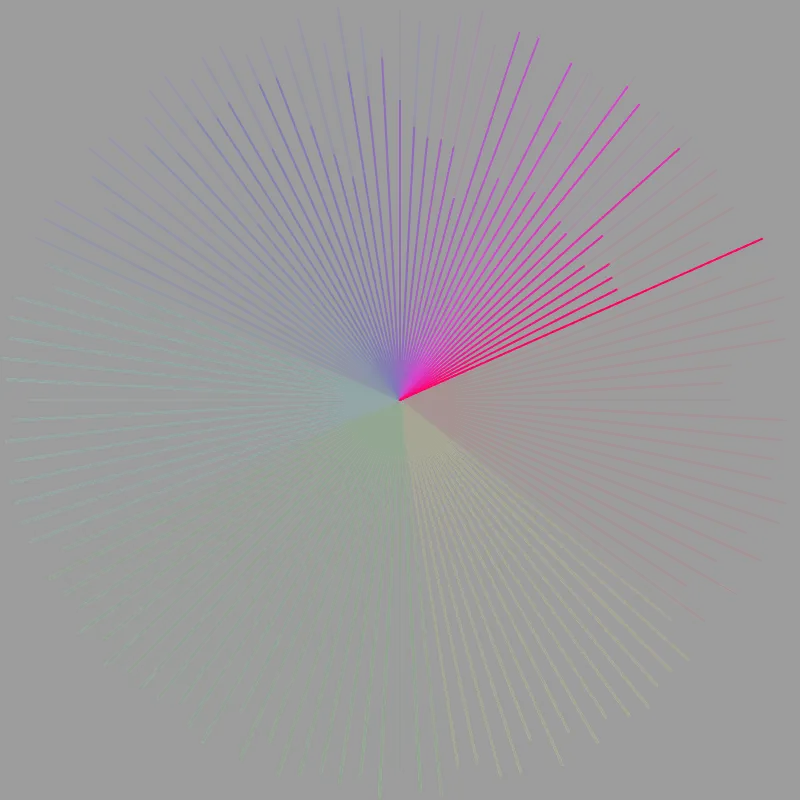
I hope you enjoyed this little creative coding adventure. You don’t have to stop here, though! Play around with the code, change stuff, break it, try to make it yours.
We have been using a tool called p5.js, a creative coding library written in the programming language JavaScript. p5.js is free and open-source and backed by a wonderful community. If you are looking to continue your creative coding journey, p5.js is a great place to start!
The Poster Inside the Zine and Why Each Zine Is Unique
The inside of the zine is decorated with a grid of lines where each line either goes from the top left to the bottom right or from the bottom left to the top right of their grid cell. The result of what is essentially a repeated coin toss for which line to pick is a true classic in the creative coding world.
- Ruth John and Tim Holman call them Tiled Lines and they made a beautiful interactive tutorial on how to create them with JavaScript and the
canvasAPI. - Some also refer to this as 10 PRINT in reference to a very famous C64 BASIC program that creates similar patterns.
Every zine is plotted with a unique version of this line grid.
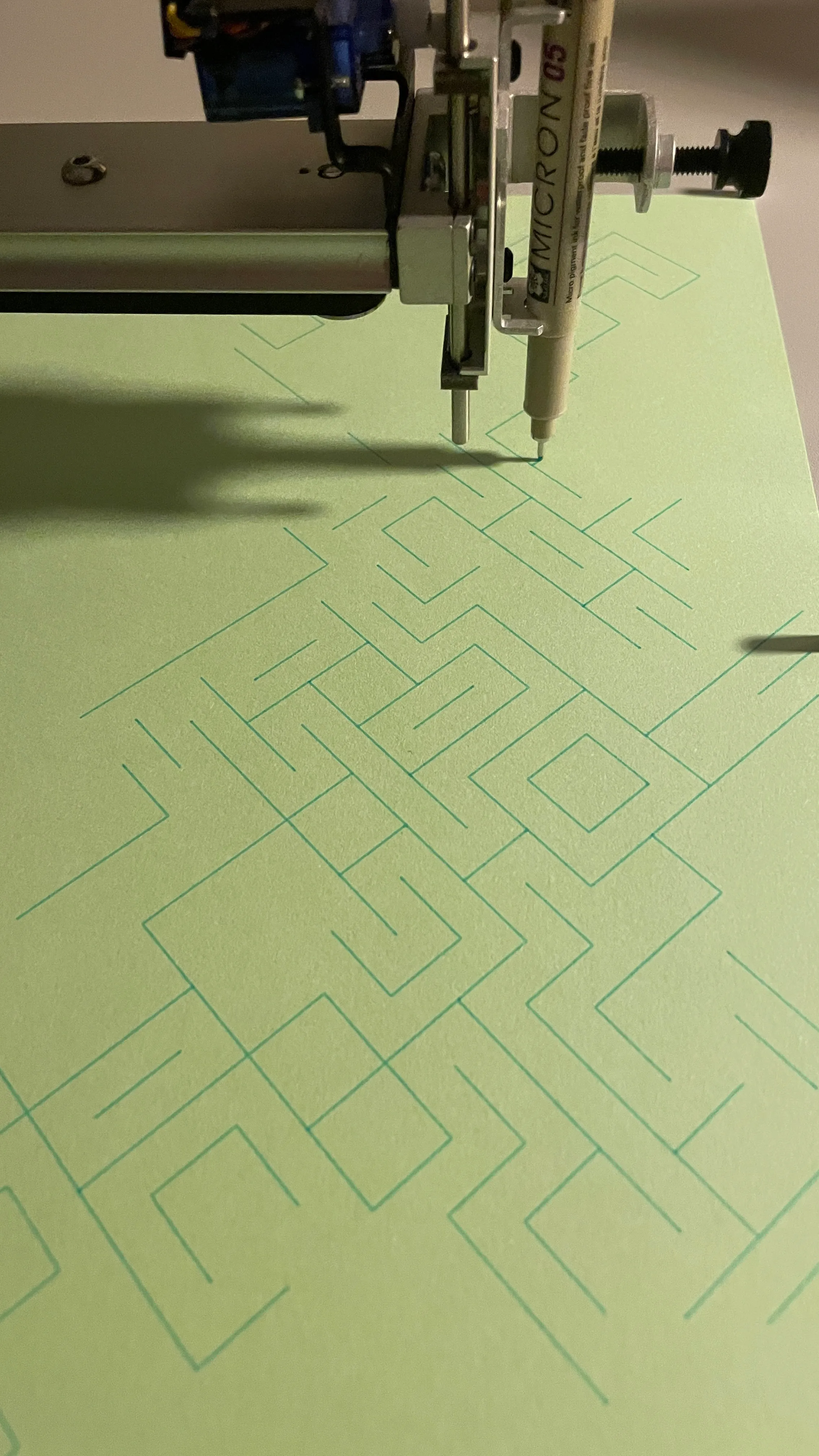
And with “plotted” I mean that every zine has been created with my AxiDraw SE/A3 pen plotter. Not only is every poster on the inside a unique vector graphic, but also every pen stroke and every letter is slightly different; a pen plotter is a very reliable machine, but two plots are still never 100% identical.
I like to think that the machine in my process adds a lot of character on its own to the final outcome.
The zine is unique. And so are you.