Custom Firmware on the PS Vita
I had to re-install custom firmware on my PS Vita PCH-2000 series (PS Vita Slim) today because the console kept crashing after a couple of seconds into booting. Luckily, my official 64 GB PS Vita memory card seems to be fine, so I did not have to deal with any SD2VITA shenanigans for now. I followed the excellent Vita Hacks Guide that I highly recommend; it remains to be the definitive guide in a sea of redundant video tutorials with questionable shelf-life.
Compared to my last time, putting custom firmware and homebrew on a PS Vita has become even simpler and safer. Thanks to the HENlo exploit chain via PS Vita’s browser, you do not need a computer or any external tool anymore—just a PS Vita on the latest official firmware 3.74 and a WiFi connection. The risk of bricking the device or getting banned by Sony is negligible.
The following tools are used and installed:
- henkaku (sometimes: HENkaku), a homebrew framework that enables the Vita to run unofficial software and games. Has also been called homebrew enabler or even custom firmware in older guides and needed to be re-triggered on every reboot via https://henkaku.xyz. This is obsolete now.
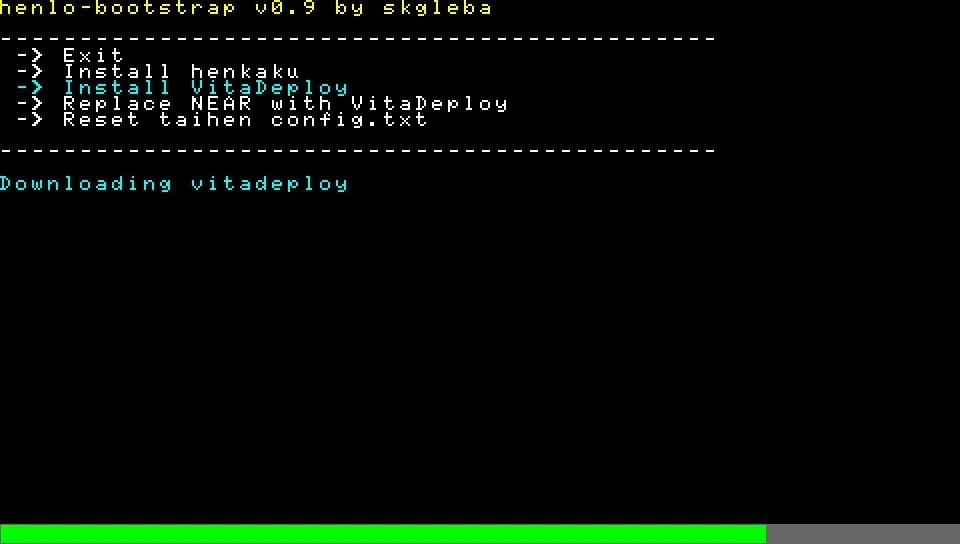
- VitaDeploy, a homebrew toolbox.
- Ensō (sometimes: enso or HENkaku Enso), the permanent, full-fledged custom firmware solution that auto-triggers on every reboot. Downgrades to firmware 3.65 and installs some useful homebrew plugins.
Screenshots
For me it is important to take screenshots when playing a game. They serve as little souvenirs and I use them here on my personal website as visual aids for my game discussions. The PS Vita can take screenshots by pressing PS button and Start. BUT: this does not work on all screens, screenshots are compressed JPEGs, and they may contain watermarks. The pngshot plugin that comes with the custom firmware resolves all those isses and produces watermark-less PNG files.
To doublecheck whether the pngshot plugin is installed: The plugin file is at ur0:tai/pngshot.suprx and it should be listed in the ur0:tai/config.txt file. The screenshots are stored at ux0:picture/SCREENSHOT/ and can be also browsed with the official Photo Gallery app.
Homebrew Applications
I used VitaDeploy’s App downloader to install two more tools: VitaShell and the VitaDB downloader.
VitaShell is a file manager that packs a lot of features beneath its minimal user interface:
- Navigate every corner of the PS Vita file system
- Create, delete, move, rename files
- Edit text files
- Open and zoom in on screenshots
- FTP server (to enable press Start for settings and change SELECT button to FTP, close settings and start server by hitting Select)
The VitaDB downloader is the on-device frontend for VitaDB—an online database for homebrews and plugins founded by Alessio Tosto. Do not worry about the Sharkf00d app it installs. This is necessary to install libshacccg.suprx which is required by VitaDB downloader and many other homebrews.
References
- Andy Nguyen (The FloW): Absolute legend!
- Alessio Tosto (Rinnegatamante): Leading software engineer in porting games and software to the Vita.
- Dimitris Giannakis (Modern Vintage Gamer): Well-researched video content on gaming hardware.
- Sandeep Rai (2old4gaming): He has been quiet on Youtube for a while, but his online store still houses some nice books on the Vita.